

Automic Automation Goes EOS Soon
Smell that?
Something’s going sour, and it’s not your milk.
It’s Broadcom’s Automic Automation v21, which has already seen a 12-month extension.
If you’re groaning, I get it. It’s the stuff of nightmares.
When you’ve got a job scheduler automating 10 business critical applications, that scheduler is ten times as critical to your business as each of the applications it runs.
There’s SAP, Oracle, PeopleSoft, BusinessObjects, Hadoop, Airflow . . . . It’s hard to sleep at night.
My clients are sharp: applications teams made up of DevOps Engineers, Application Developers, System Administrators, IT Managers – with key stakeholders such as Directors and VPs of IT.
And they have legitimate worries:
- “What if we bring down the entire system?”
- “We only upgrade every few years. We’re not pros.”
- “We don’t know all the ways to reduce risk.”
- “Some of the applications are on old operating systems. It’s nerve-wracking.”
- “We don’t have time for this &*$%.”
- “Ugh. Let’s circle back next quarter.”
- “Don’t touch it. That’s how to mitigate risk.”
The struggle is real. We’ve been helping companies plan the next Automic End-of-Maintenance (EOS) for the last year, and we’ve performed hundreds of upgrades.
Automic v21 goes EOS Sept 30, 2025.
Now’s the time to upgrade to v24.3, with or without the transition to SaaS, and I’m here to make the decision easier for you.
Step one: dodge the most common upgrade facepalm I’ve witnessed.
The Biggest Upgrade Mistake: Waiting 'til the Last Minute
People love to wait ’til the last minute to upgrade Automic.
My peeps are constantly marinating in sweet, sweet denial, letting EOS dates creep up and fly by because, “if it ain’t broke, don’t fix it.”
I know. I get it. I’ve done it myself.
But, look.
Companies with this mentality get bit in the keister.

I feel bad every time I see it.
They usually have legacy automation (an un-upgraded job scheduler) that’s limping along in “maintenance mode” and not leveraged.
Double-click and you’ll see:
- limited resources or expertise to plan and execute the Automic upgrade
- fear of disrupting critical business operations
- concerns about compatibility with existing systems and workflows
- lack of knowledge about key feature-functionality
And I’m not hurting feels spilling these beans. My people are self-aware. That’s what spurs their upgrade avoidance. Awareness.
But what they don’t see is more frightening.
Recommended reading: 8 Signs of Legacy Workload Automation
Dang! What You Don't Know About Workload Automation Hurts

More often than not, legacy Workload Automation hides something more sinister.
I call it the scheduler’s shadow side.
People don’t see it, but it hurts growth and kills relationships.
The hallmarks:
- inefficiency (translation: slower time to market)
- lack of scalability and flexibility
- inability to meet evolving business requirements
- high maintenance costs associated with legacy systems
- limited integration capabilities with other cloud services
- job failure due to manual errors, and
- delayed promotion of code to production (development waits on operations)
Their outdated automation trips up every application the scheduler drives. And we’re talking business critical applications.
With all the resulting overwhelm, people are too busy to find time to get strategic about automation.
They’re stuck.
And often have no idea the scheduler is at the root.

Automic Upgrade Dilemma: v24.3 On Prem vs SaaS – We’ll Help You Choose!
Choosing between Automic v24.3 On Prem vs transitioning to SaaS with your upgrade can feel daunting, but I’m here to break it down and help you make the best decision for your needs.
In my man Trey Anderson’s words, “Automic v.24.3 is more stable and reliable in terms of performance and security, and its new SaaS option supports evolving automation requirements. Naturally.”
“When deciding between the two options during an upgrade, companies should consider whether they value maintaining control by managing their own setup or prefer the convenience and scalability of a cloud-managed service.”
Let’s break down the options in both.
New Features in the Automic 24.3 Upgrade

Automic v24.3 has an array of attractive new features available in its upgrade.
In technical terms, you’ll see:
- n
And for those who dig self-service, RMT can encode scheduling standards and integrate AutoSys job creation with the SDLC, using their celebrated ACCE add-on. ACCE, which stands for Automated Change Control Expert, provides one-click migration of jobs with code.
New Features in the AutoSys r24 Upgrade

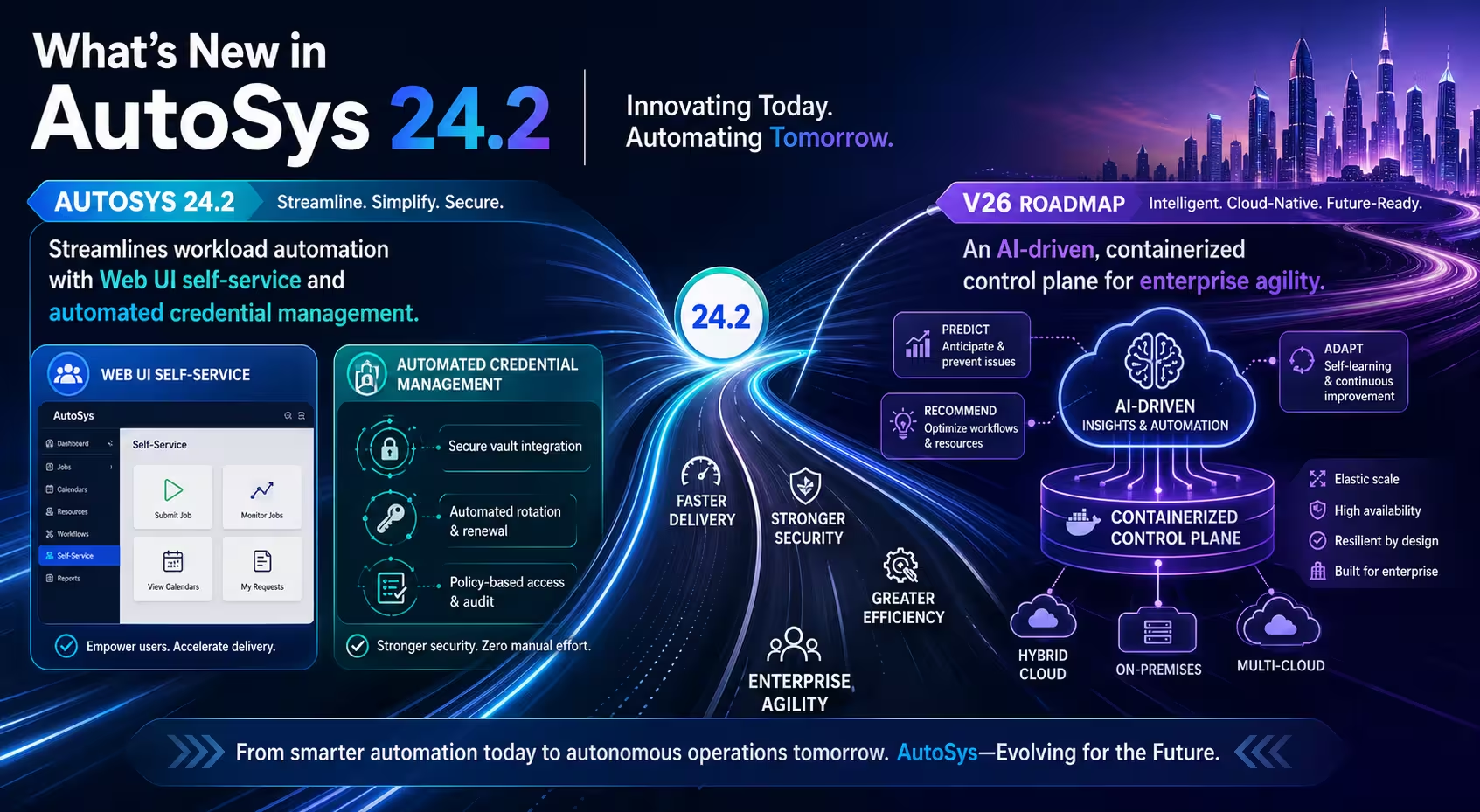
Upgrading to AutoSys r24 unlocks a suite of innovative features designed to streamline automation and future-proof your workflows.
In technical terms (tech docs for AutoSys r24 are here), you’ll see:
PostgreSQL Database Support for a reliable and secure way to manage automated tasks.
Data Migrator for PostgreSQL: A new tool to more easily transfer existing AutoSys data to a PostgreSQL database.
Enhanced Web Interface with a side navigation pane.
New Monitor Tab in the AutoSys Web UI (Preview) for quick access and custom views.
Global Search Support for the AutoSys Web UI (Preview) to search for multiple jobs across servers.
Integrated Help System: An in-product help panel provides easy access to various resources like technical documentation and videos, helping you find information quickly without leaving the application.
AI-Powered Intelligent Automation Assistant: A new assistant allows you to ask questions about AutoSys and receive relevant, context-based conversational answers.
Integration with Help Desk Applications: AutoSys can now connect with help desk applications to manage incidents like job failures more efficiently.
Single Sign-On (SSO) Support Using SAML2: The Web UI now supports SSO authentication using SAML2, simplifying the login process and enhancing security.
Support for Oracle 23c Database: AutoSys r24 is now compatible with Oracle 23c, ensuring better performance and reliability.
Related: Broadcom BrightTALK: What’s New in AutoSys v24 [19:52].
Another standout benefit of AutoSys r24 is the enhanced functionality of the ACCE add-on.
For those who love the productivity gains of self-service, ACCE will allow you to encode scheduling standards and seamlessly integrate AutoSys job creation with the SDLC, enabling one-click job migration along with the code required to run it.
The average ROI speaks for itself: a 50% reduction in job failure rates and a 70-95% decrease in manual work that frees up resources for high-value tasks like deploying new features.
This is why r24 is the recommended choice – it’s certified with ACCE and gives users access to the latest features, maximizing the value of their automation workflows.
In the v24-supported version of ACCE, key updates include bundling Java and Tomcat directly in the ACCE distribution package, to simplify setup and integration. Another game-changer is the “porting” of ACCE to Linux, a major leap forward in compatibility. Previously limited to Windows, the upcoming ACCE release will support both Windows and Linux environments, expanding flexibility for diverse IT infrastructures.

How to Master a Flawless AutoSys Upgrade
My shop ONLY does Workload Automation, and we’ve done it exclusively for 25-years.
Our flawless upgrades reduce operational risk, optimize the solution, and free up your team to deploy new feature functionality.
First, we assess current state, processes and requirements. Then we provide strategic recommendations and a co-created improvement roadmap.
Roadmapping is typically followed by a 2-month engagement where we knock out the following:
- Implementation and deployment support with our proprietary low-risk methodology, to ensure minimal disruption to operations
- Testing and validation of the new deployment
- Training and support to empower application teams in using new features, and
- Migration of workload artifacts (if we compared this to trading in your old jeep for a new one, it’s like transferring your fuzzy dice from one rearview mirror to the other)

Sleep Better During Your Upgrade . . .
Call us if you want to sleep better.
We’ll cancel your concerns about disrupting business critical operations.
Our AutoSys upgrades almost always start with a feasibility discussion about what keeps you up at night and culminate with an improvement roadmap.
The discussion helps us understand the scope and compatibilities of your existing systems and workflows, and the roadmap will provides you with valuable information about underlying issues to be aware of during the upgrade.
Recommended reading: How to Mitigate the Risk of an Upgrade
Get Started with Your AutoSys Upgrade

We’re all about sharing best practices and educating teams about how to maintain automation agility and competitiveness.
I also dig AutoSys. It’s personal.
It’s one of the Workload Automation tools I’ve wrapped my life around. And RMT has a unique level of access to it because of our relationship with the Broadcom product team (formerly CA Technologies).
We’ve worked side-by-side for over 20 years. We’re Broadcom’s Automation Partner of the Year, and I hold a chair on the Broadcom Partner Advisory Committee. Tier 1 Reseller, Expert+ Advantage, and Broadcom Knights. You get the drift.
Grab some of our upgrade documentation, and if you want more help, drop a line.
Say Bob sent you.

More in Workload Automation (WLA)


Not sure what fits your business needs? Get free consultation!
Managing Workload Automation environments is all we do, and we do it well. We’re happy to help.