

At a Glance:
- What AI can actually do inside Automic Automation 26.
- How MCP connects supported language models to your Automic environment.
- How administrators can investigate failures, check dependencies, and draft workflows faster.
- How you control which Automic tools AI can access.
- Where Automic fits into the larger AI Control Plane conversation.
- Register Now: Join our AI Control Plane Webinar to explore strategies for reducing AI token spend without slowing adoption.
AI is officially part of Automic Automation 26. That sounds good on a feature list, but I wanted to know what it actually means for the people using Automic every day.
Can it help you understand why a job failed? Can it tell you what might break if you change something? Can it build part of a workflow for you? And, just as important, can you stop it from accessing tools it has no business touching?
The answer is yes.
Automic 26 lets you connect a supported language model through MCP, use AI within jobs and workflows, and control which tools it can access. In other words, AI gets a job description and a badge, not the master keys.
This also connects to a much bigger conversation we’ve been having with customers: the AI Control Plane.
AI is easy to start using. Managing it across an enterprise is where things get interesting. Who can use which models? What information can those models access? How many times are you going to pay for essentially the same answer?
That’s what we’ll explore in our upcoming AI Control Plane Webinar. We’ll show how an intelligence layer and an automation layer can work together to reuse trusted organizational knowledge, reduce unnecessary external model calls, and bring token spending under control.
See Automic 26 in Action
Before we get into the larger AI strategy, we put Automic 26 through its paces.
This Automic 26 AI Demo by Parker Vetter shows how you can use AI to analyze an execution, assess the impact of a proposed change, and create a draft workflow from natural-language instructions. It also shows how administrators control which Automic tools AI can use.
This is just one part of our What’s New in Automic 26 Webinar, and you can watch the whole thing here.
No magic wand. No robot running the data center by itself. Just useful ways to make the experience faster.
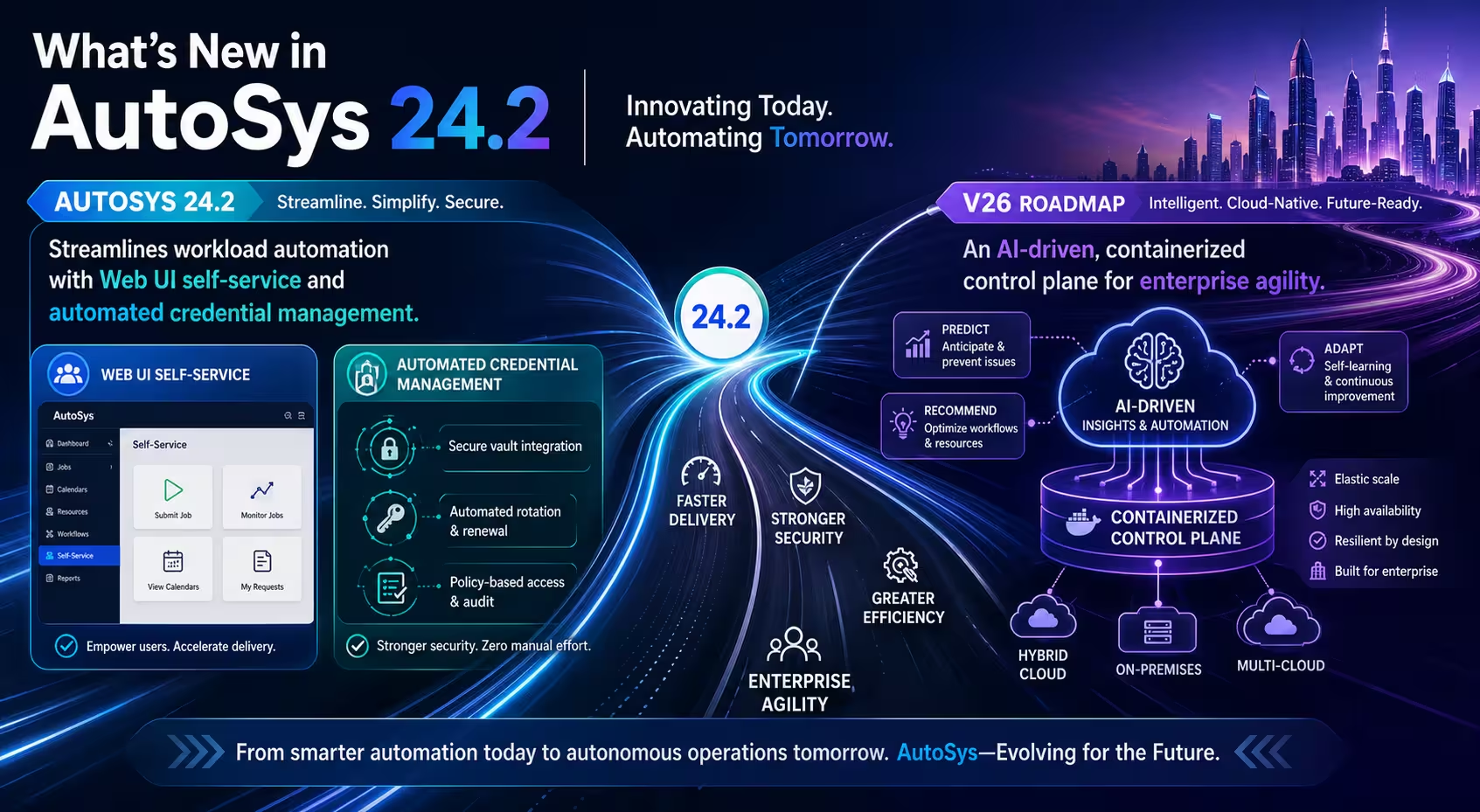
What's New in Automic 26
Automic 24.4 gave us an early look at the Intelligent Assistant. Version 26 expands the AI capabilities with MCP integration, AI jobs, AI connection objects, and deeper interaction with the Automic environment.
The MCP server runs alongside Automic and acts as a bridge between a supported language model and your automation environment.
You choose the model from the supported options. You also decide which Automic tools it can use. The demo covers how administrators can review previous conversations and capture AI job output for further processing or reporting.
So this is much more useful than a generic chatbot.

Connecting your AI model through MCP allows AI to operate inside Automic’s existing governance model.
Product announcements always sound wonderful on a slide. The real question is:
What does this help you do on Monday morning?
Here’s what stood out to me:
Investigating a Failed Execution
Anyone who has spent time digging through execution logs knows the routine.
Search.
Scroll.
Search again.
Begin questioning every decision that led you to this particular log file.
Automic 26 gives you another place to start. In the demo, we asked the Intelligent Assistant to analyze a failed execution and explain what had happened.
It reviewed the available execution information, summarized the situation, and pointed the administrator toward likely causes and next steps.
The logs don’t disappear. You just spend less time trying to get them to confess.

Automic analyzes the latest execution, summarizes what happened, and points the administrator toward likely causes and corrective steps.
Control What AI Can Access
One of the most important features in the demo wasn’t flashy: tool access.
Administrators can control which tools are available through the MCP connection object and restrict them further for an individual AI job.
If a tool isn’t approved, the AI can’t use it.
Simple? Yes. Important? Also yes.
AI should have the tools it needs to do the job, not the entire garage.

Administrators control which tools are available through the MCP connection and individual AI job settings.
Ask, "What Happens if I Change This?"
Before changing something in production, there’s one question every experienced administrator asks:
What else is this going to affect?
In the demo, we selected a job and asked AI to evaluate what would happen if we deleted it.
Automic identified a direct scheduling dependency, classified the proposed deletion as high risk, and generated a recommended change plan before anything was modified.
That’s the same type of analysis an experienced administrator already performs. The difference is that the findings are reported without requiring every relationship to be traced by hand.
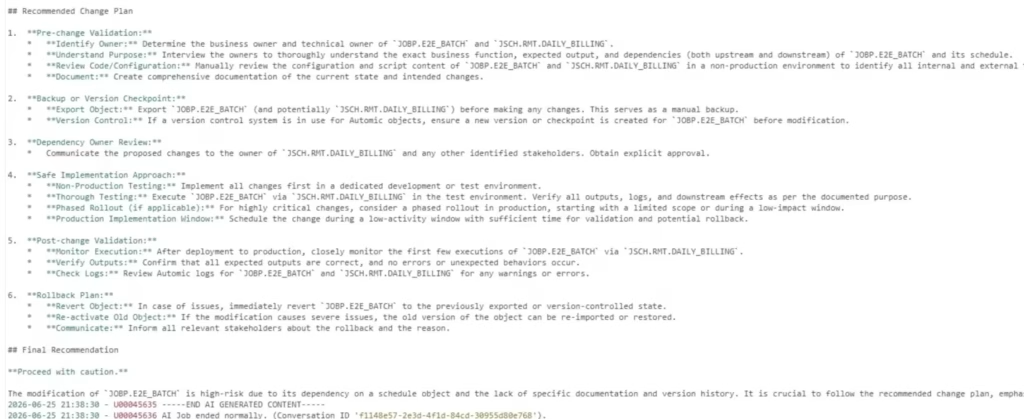
Automic analyzes object relationships and returns a risk assessment and recommended change plan before changes are made.
Honestly, the best time to discover a dependency is before you click Save.
Draft Workflows in Plain English
For the final test, we asked the assistant to create four Windows job templates and arrange them sequentially in a workflow.
This wasn’t a three-word prompt followed by a small miracle. Parker gave the assistant the details it needed, including the client, folder, object types, names, placeholder content, and execution order.
The assistant created the four job templates and assembled the workflow as requested.
The jobs still contained dummy data and needed the appropriate agent and production configuration before they could run. We did not ask AI for a production-ready workflow and then release it into the wild.
But it did handle a meaningful part of the repetitive setup work.
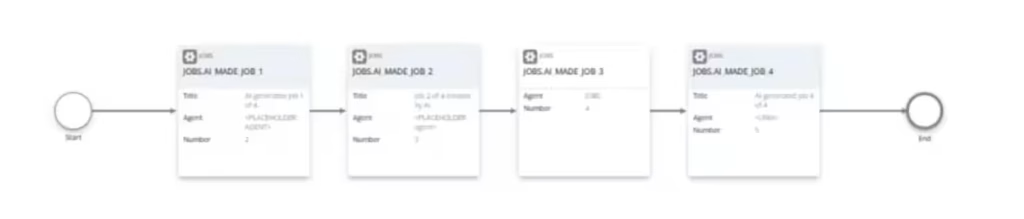
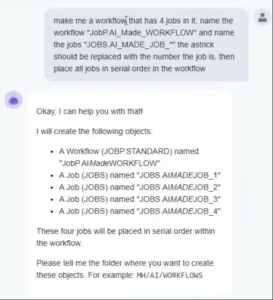
Automic creates a draft workflow and job templates from detailed natural-language instructions.
AI doesn’t replace your workflow designers. It gives them a faster place to start so they can spend more time on architecture, business logic, and testing.
Where the AI Control Plane Fits In
Everything we demonstrated has something in common.
It isn’t just about making AI more capable. It’s about making AI more manageable.
That distinction matters.
As more teams adopt AI, the challenge isn’t getting a model to answer a question. The challenge is making sure the request is secure, governed, useful, and worth what you’re paying for it.
Every unnecessary model call costs money. Every repeated question burns more tokens. Every model with unrestricted access creates another risk.
An AI Control Plane gives you a governed way to manage those interactions. The goal is to move requests through controlled workflows with consistent permissions and visibility instead of letting every team and application create its own little AI kingdom.
It also creates opportunities to reuse trusted organizational knowledge rather than paying an external model to solve the same problem hundreds of times.
Go Beyond the Demo
Want to see where this goes next?
Join our AI Control Plane Webinar to learn how intelligence and automation layers work together to govern enterprise AI, reduce unnecessary external model calls, and manage token costs.