



On demand · Oracle Fusion webinar
Thanks for signing up. Watch the full webinar below, or jump straight to the part you need: why the close stalls, one Automic workflow for the whole close, and the Fusion, EPM, and Oracle Integration Cloud demos.
Full webinar
The full session: why the close stalls, one Automic workflow for the whole close, and Broadcom’s Fusion, EPM, and Oracle Integration Cloud walkthroughs.
Jump to a section
Part 1 · 0:08
Who’s presenting, why month-end closes slow down between the steps, not inside Oracle, and the 13 business steps behind the demo.
Part 2 · 25:48
A file lands in UCM, journals and invoices move, and Automic tracks every step of the close from one view.
Part 3 · 33:25
Extracts come out of BICC, and Oracle’s evidence is checked before the next step runs.
Part 4 · 38:51
A Create Accounting warning becomes an alert, and the HCM data load runs as part of the same workflow.
Part 5 · 46:05
Planning data is aggregated in EPM as the next step of the same workflow.
Part 6 · 49:05
Automic’s OCI agent starts a downstream integration in Oracle Integration Cloud and tracks it to the finish.
Part 7 · 57:13
Attendee questions, answered live.
Free PDFs
Close faster and prove every step: how the close runs, where it stalls, and the proof you get back.
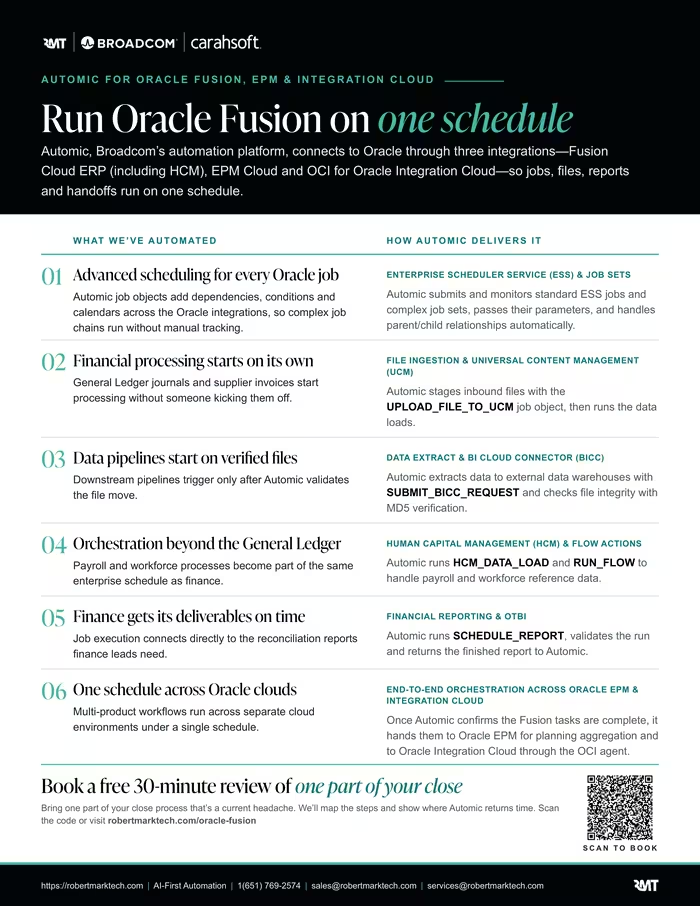
Run Oracle Fusion on one schedule: each Oracle job type and how Automic runs it.
How to power Oracle Fusion Cloud with Automic agents across ERP, EPM, HCM, and Oracle Integration Cloud.
Free 30-minute review of one part of your close
Tell us about one part of your close process that’s a current headache. We’ll follow up to learn how it runs today, then spend 30 minutes showing you where Automic gives that time back. Free, no commitment.
Please use your work email; personal addresses such as Gmail and Yahoo aren’t accepted.